Sedir

An easier way to keep track of your practice.

Your calendar builds itself from your regular clients, and every change stays in your hands. Tracking a payment takes a tap. Everything you need to know about the month sits on one screen.

Your week, and where this helps

Most sessions repeat, weekly or every other week. Then someone moves to Thursday, someone cancels on the morning, someone pays half now and the rest next time. There are the regular costs to keep an eye on too.

Pen and paper works. So does a spreadsheet. But everything goes in by hand, and you have to remember the change you pencilled in last week. Things get mixed up, or you simply lose track. The app takes that part off you. Everything sits in one place, under your thumb, easy to check and easy to adjust.

What it does

01

Everything in one glance

Your sessions and your schedule for today, this week and this month. Which payments have come in, what is still owed, and what you can expect by the end of the month. One screen, no adding up.

02

Marking, not filling in forms

Recording a whole day is a few taps, made straight on the sessions where you already see them. Nothing to fill in and nowhere else to go first. It stops feeling like a chore.

03

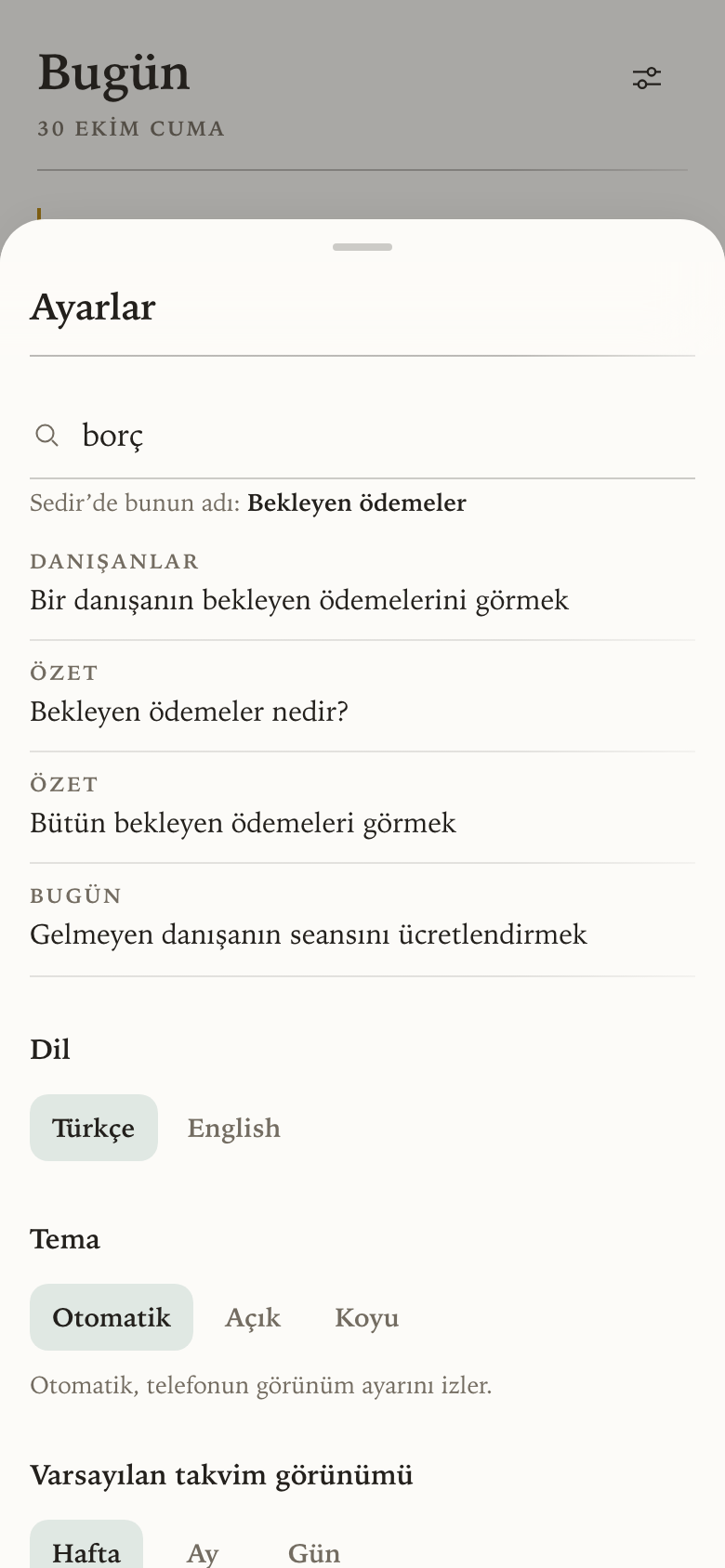
Waiting payments, easy to track

Unpaid sessions from last week or last month stay in front of you until they are settled, and a cancellation you charged for is counted the same way. Nothing has to be carried in your head.

04

The calendar builds itself

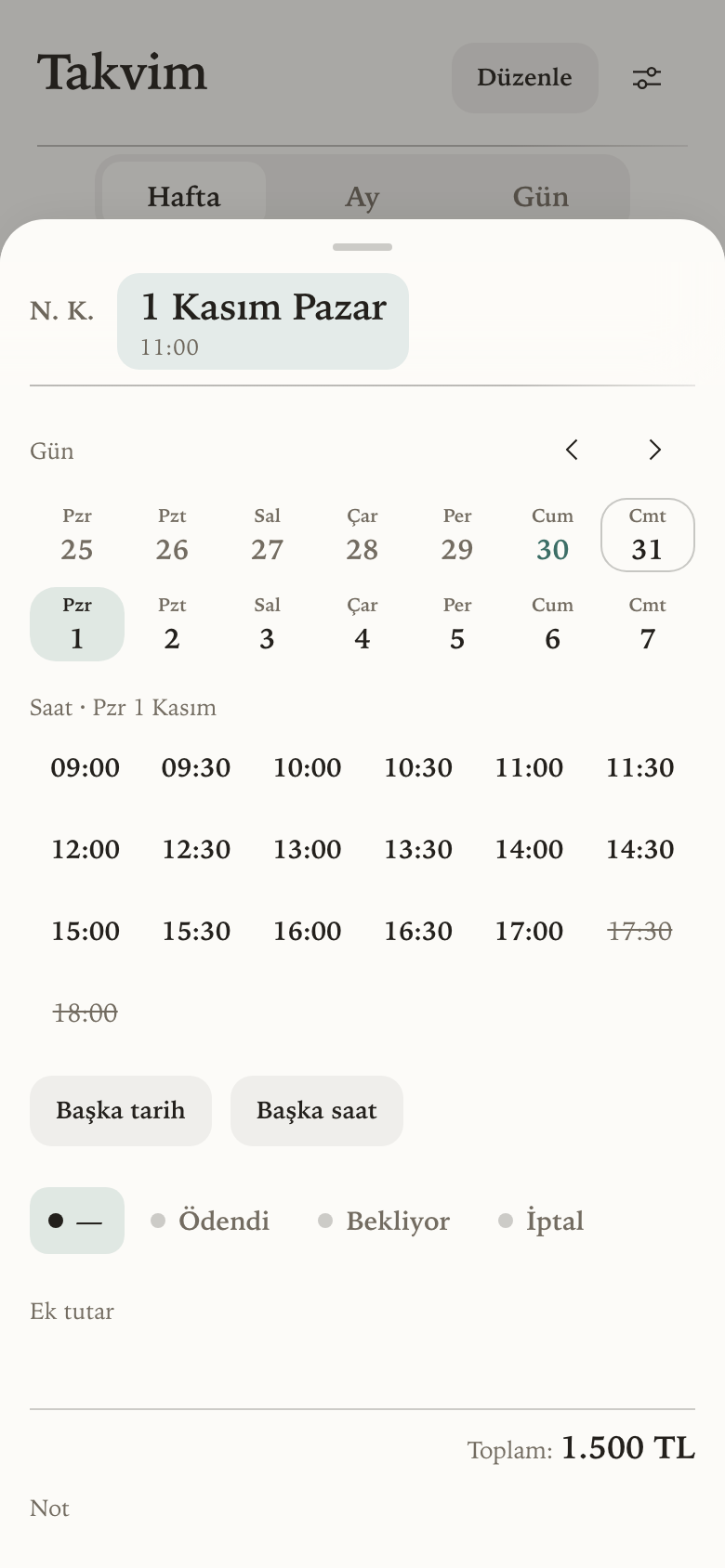
Set a client's day, time and fee once, and their sessions appear each month on their own with the fee already attached. Move one, cancel one, add an extra, and it is all counted for you.

Setting it up

It takes about ten minutes once, and very little after that.

  1. Add your clients. Initials, fee, and the day and time you usually see them.
  2. Add your expenses. Rent, supervision, the accountant. Monthly ones repeat on their own, and any income from outside sessions goes here too.
  3. Build the month. The calendar fills in from everyone's usual slot.
  4. Use it day to day. Open it after a session and mark what happened.
  5. Check the summary whenever you want to know where you stand.

The screens

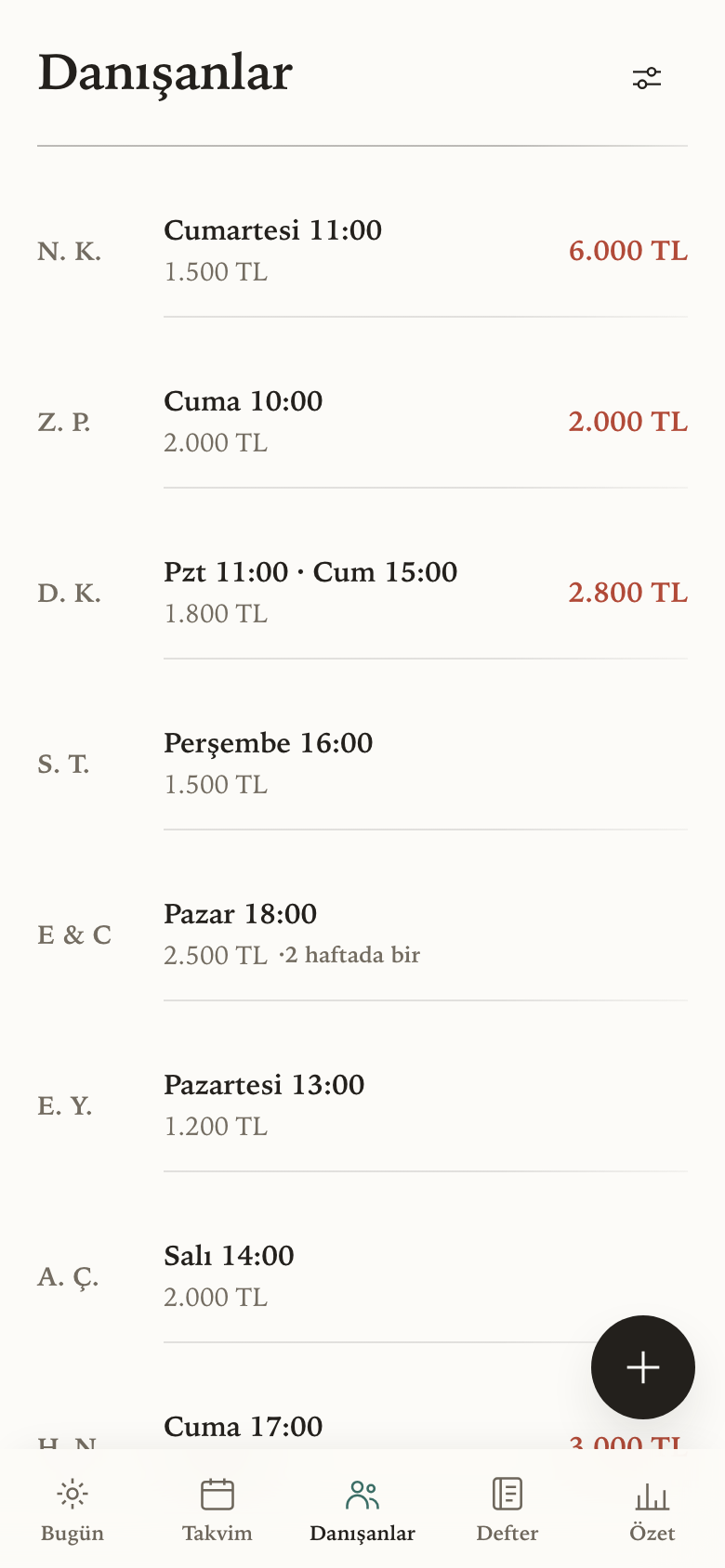
The client list, showing each person's session day, fee and anything they owe.
ClientsTheir slot, their fee, and anything they still owe you in red.
The ledger screen, listing this month's expenses with their amounts and status.
LedgerCosts, and any income outside sessions.
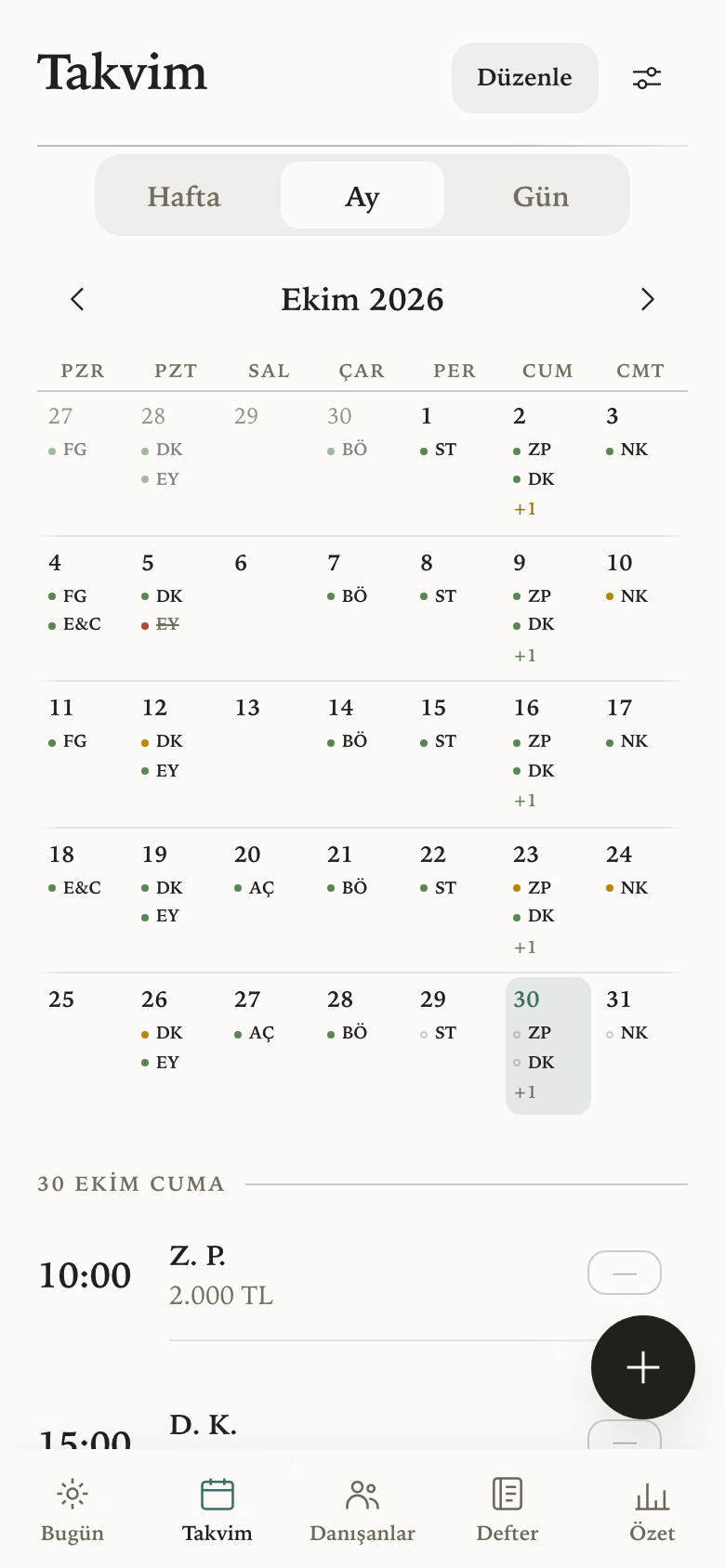
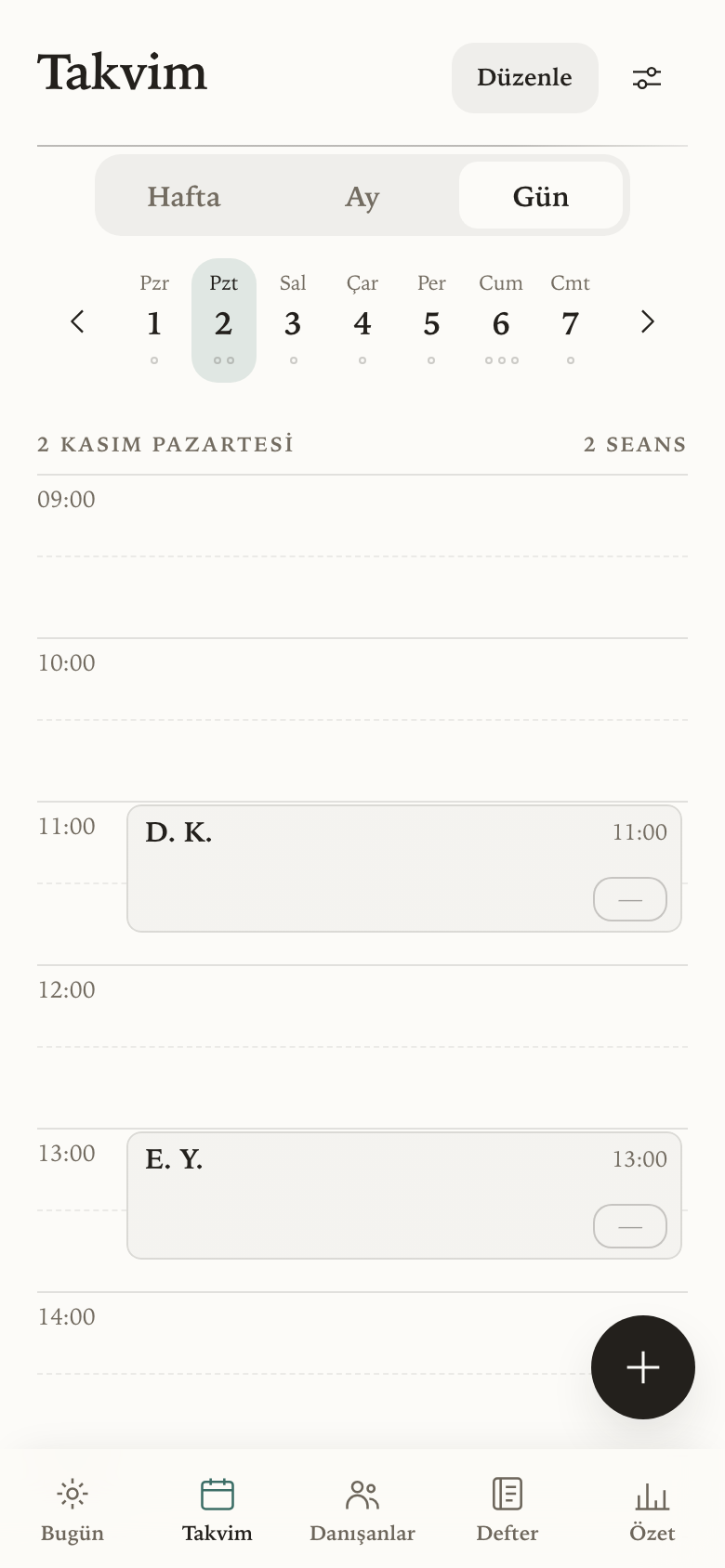
The month calendar, each day showing its sessions coloured by payment state.
CalendarThe month at a glance, or a week at a time.
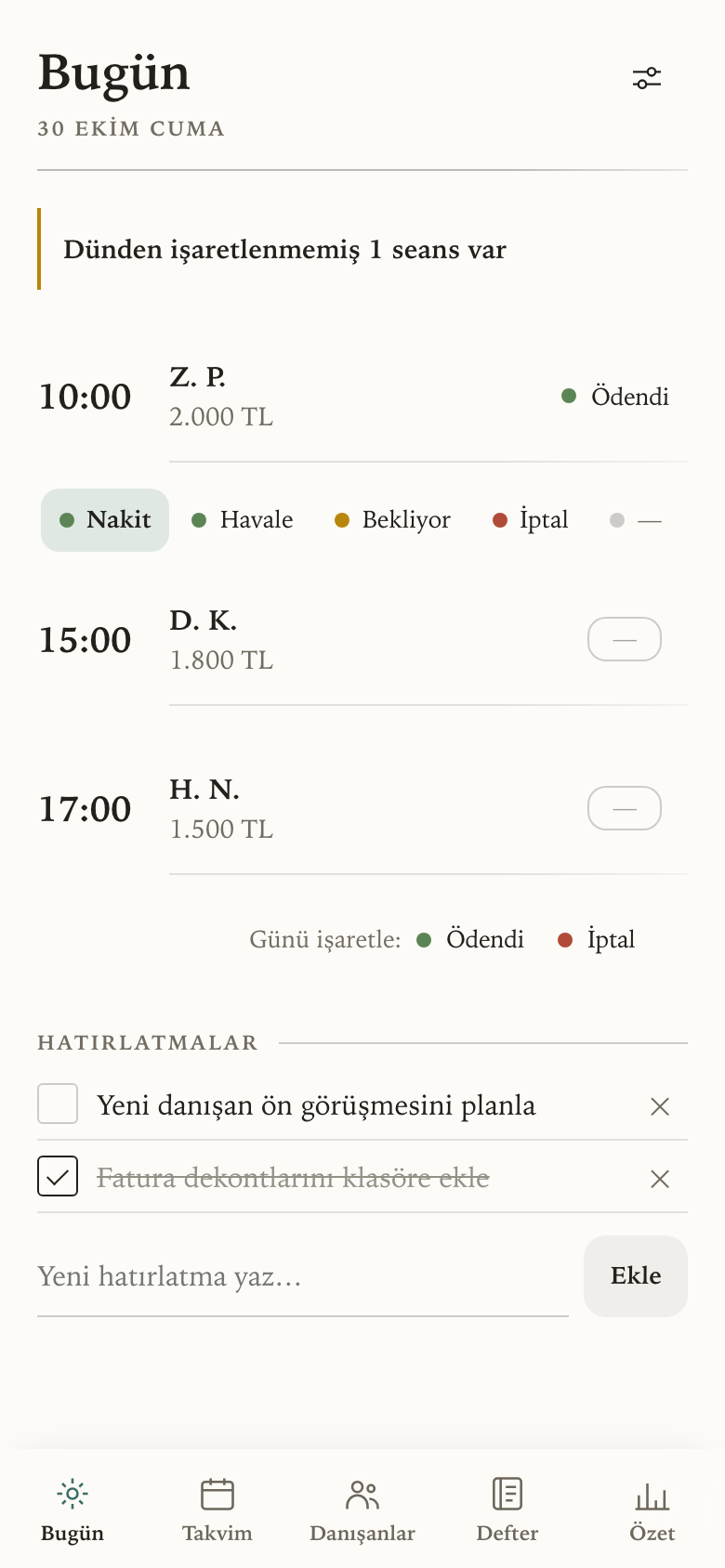
Today's screen, listing the day's sessions with a tap target to mark each one.
TodayWhere most of your taps happen. Reminders live here too.
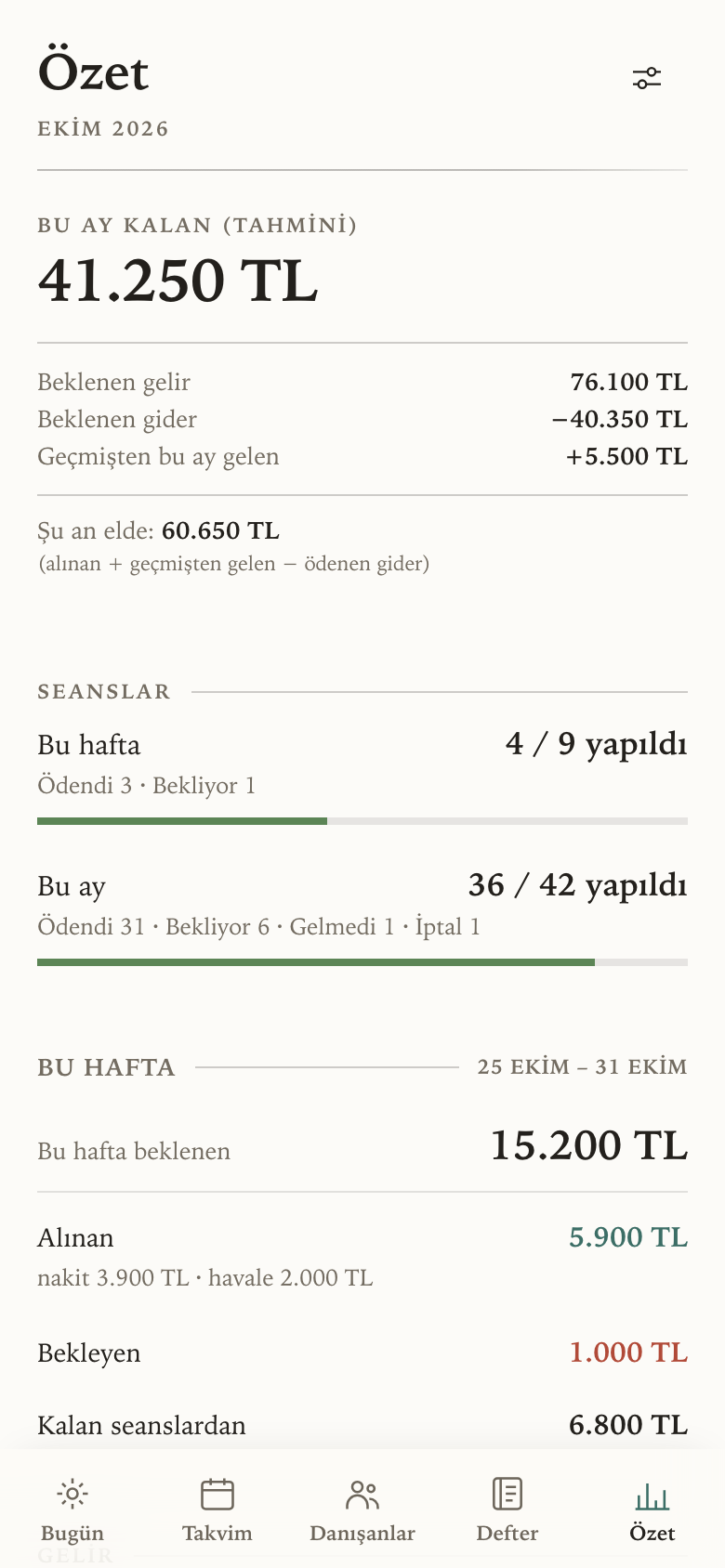
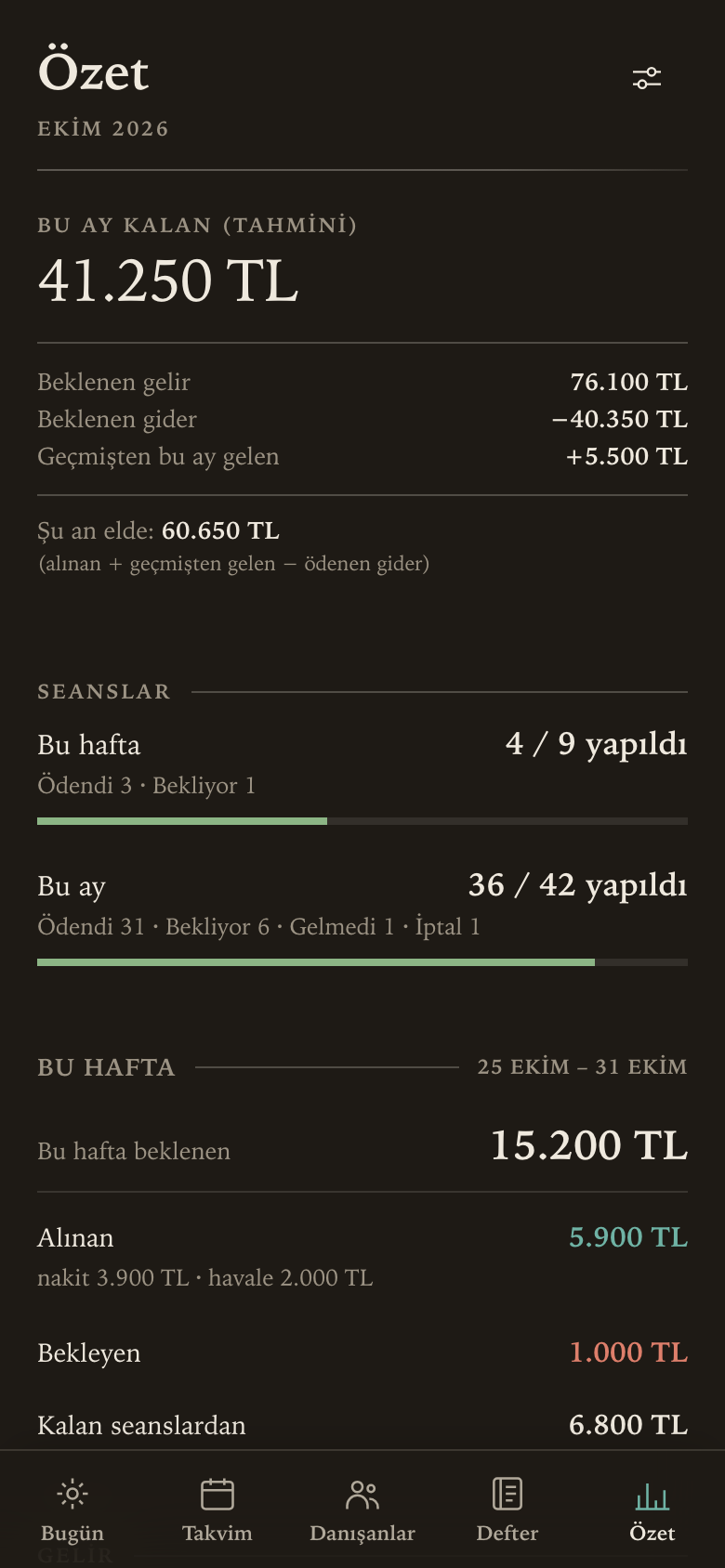
The summary screen, opening on the projected figure for the month.
SummaryThe month in one number, with everything behind it on the same screen.
The same summary screen in the dark theme.
After darkIt follows your phone, or you can pick.

Every figure and set of initials in these screens is invented.

A few things worth knowing

Easy on the eye

It reads like a page rather than a dashboard. One typeface, plenty of room, and no boxes drawn around things that do not need them. Light or dark, following your phone unless you would rather choose.

Colour is only ever used to mean something. These four are the payment states, which is why nothing else is allowed to borrow them.

Paid Waiting Cancelled Not marked yet

Where it is now

It was built for one practice, then tested with therapists who run their own. A handful of them keep their work in it every day. It is not open to everyone yet, and it is still getting better in the places daily use keeps pointing at.